Netivity.
Network activity lights for your Mac’s menu bar, like the LEDs on a network port.
Coming soon to the Mac App StoreSupport
How it works
Two lights, one glance
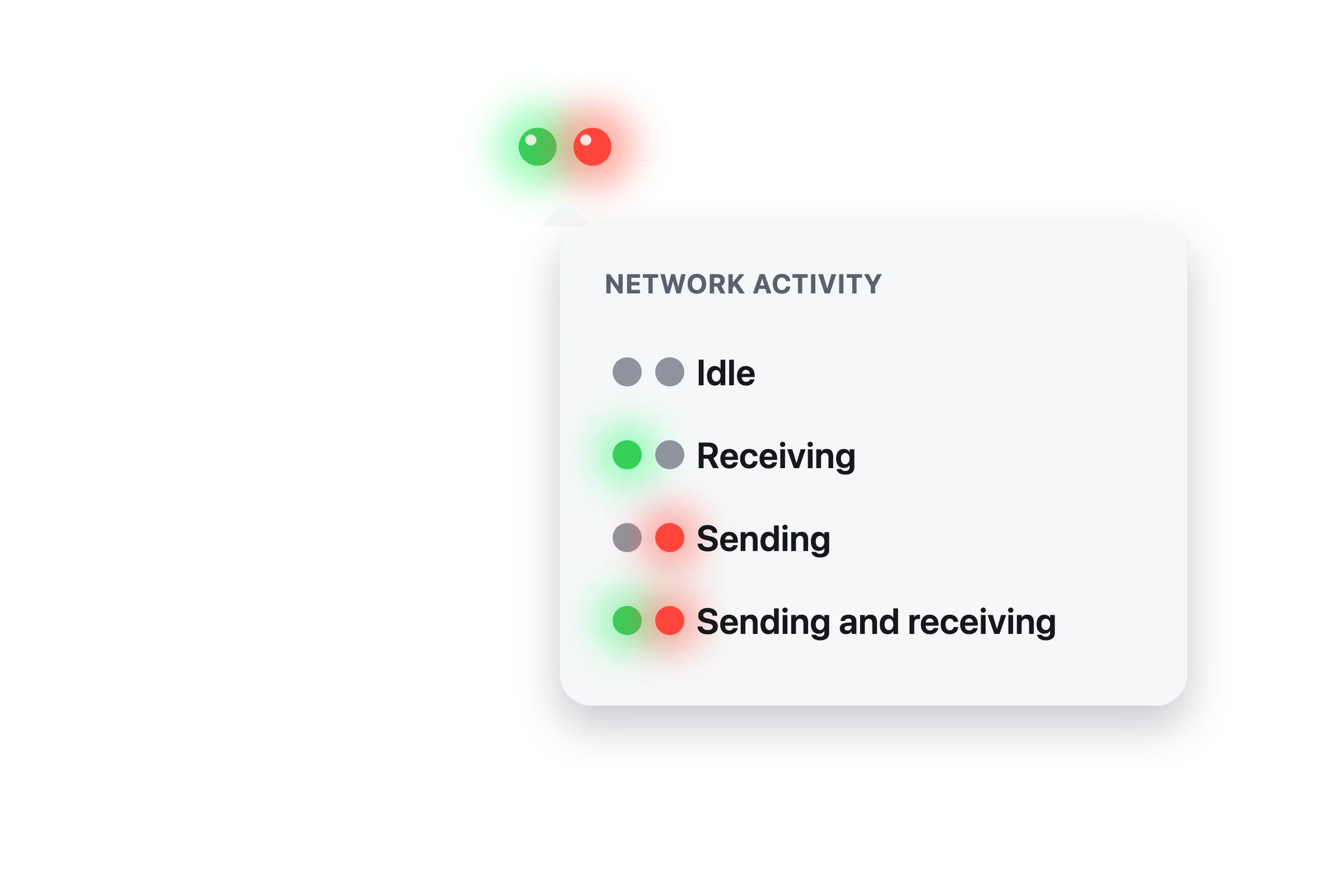
The left light turns green when data comes in. The right light turns red when data goes out. Both lit means both at once, and two grey lights mean the network is quiet.
Every connection
Netivity adds up Wi-Fi, Ethernet and every other network connection your Mac is using, and checks four times a second, so even short bursts show.
Stays out of the way
It lives only in the menu bar, with no Dock icon or window. Turn on Show Text for a word beside the lights, open the legend any time, or have it start when you log in.
Good to know
Private by design
Netivity reads only the traffic totals macOS already keeps. It never sees what is sent or where, and makes no connections of its own. See the privacy policy.
Buy once
One purchase on the Mac App Store. No subscription, no in-app purchases, and updates are free.
Twin of Disktivity
Netivity is built on Disktivity, our menu bar light for disk activity. Run both for a drive light and network lights side by side.
Questions?
Email us before or after you buy. Include your macOS version and what you’re seeing.