NSF Viewer.
Open Lotus Notes and Domino mail files on your Mac, no Notes client needed, and export them to Outlook PST, mbox or .eml.
Coming soon to the Mac App StoreSupport
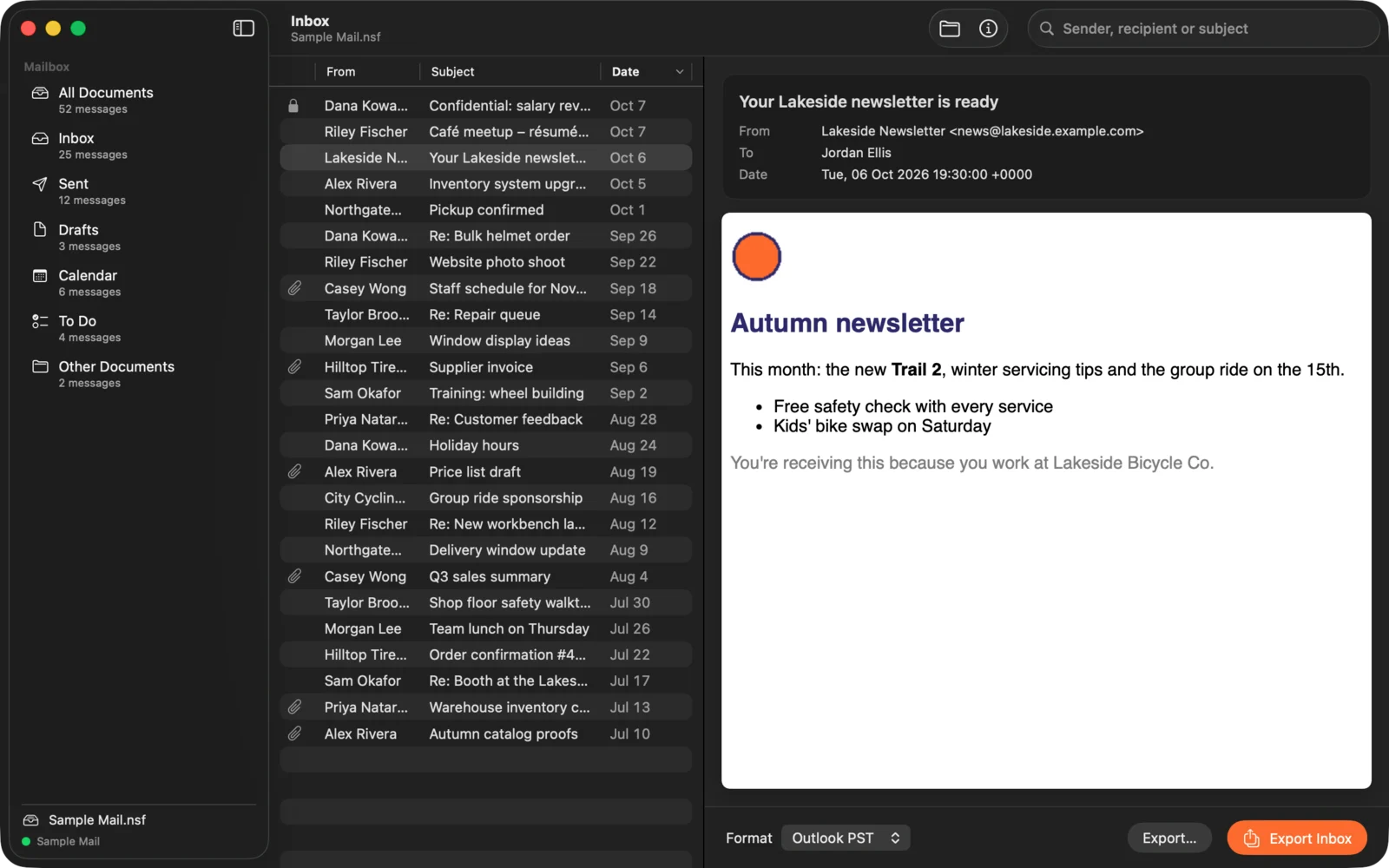
A whole Notes mailbox, on your Mac
Open an .nsf mail file and NSF Viewer reads it directly, with no Notes client, no Domino server and no Windows. Mail is sorted into Inbox, Sent, Drafts, Calendar, To Do and Other, with search by sender, recipient or subject. Notes rich text keeps its fonts, colours, tables and pictures, and Internet mail shows as HTML or plain text.
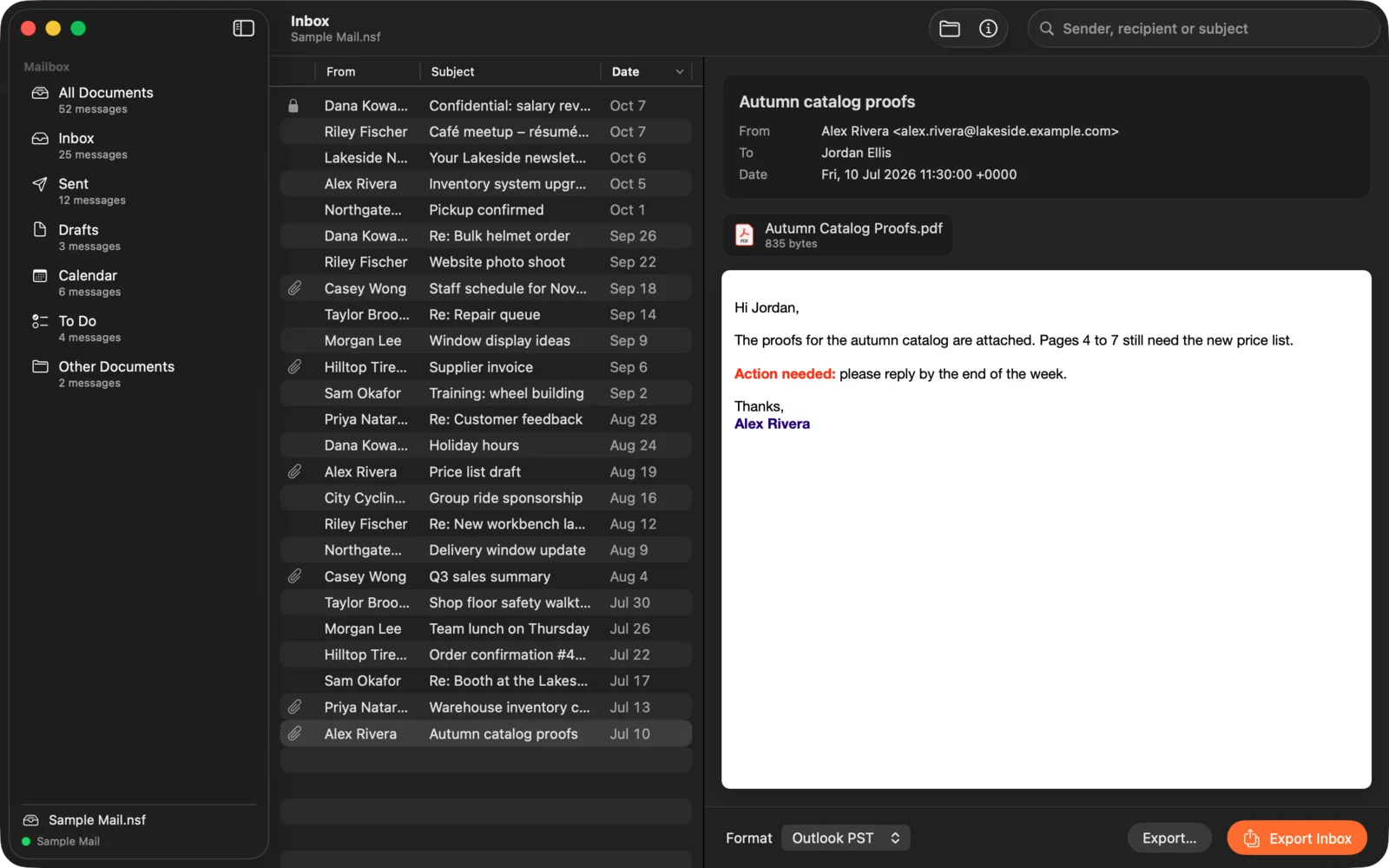
Every attachment, ready to open
Click an attachment to open it in the app it belongs to, or save one or all of them. Compressed Notes attachments are decoded, so documents, spreadsheets and PDFs come out intact.
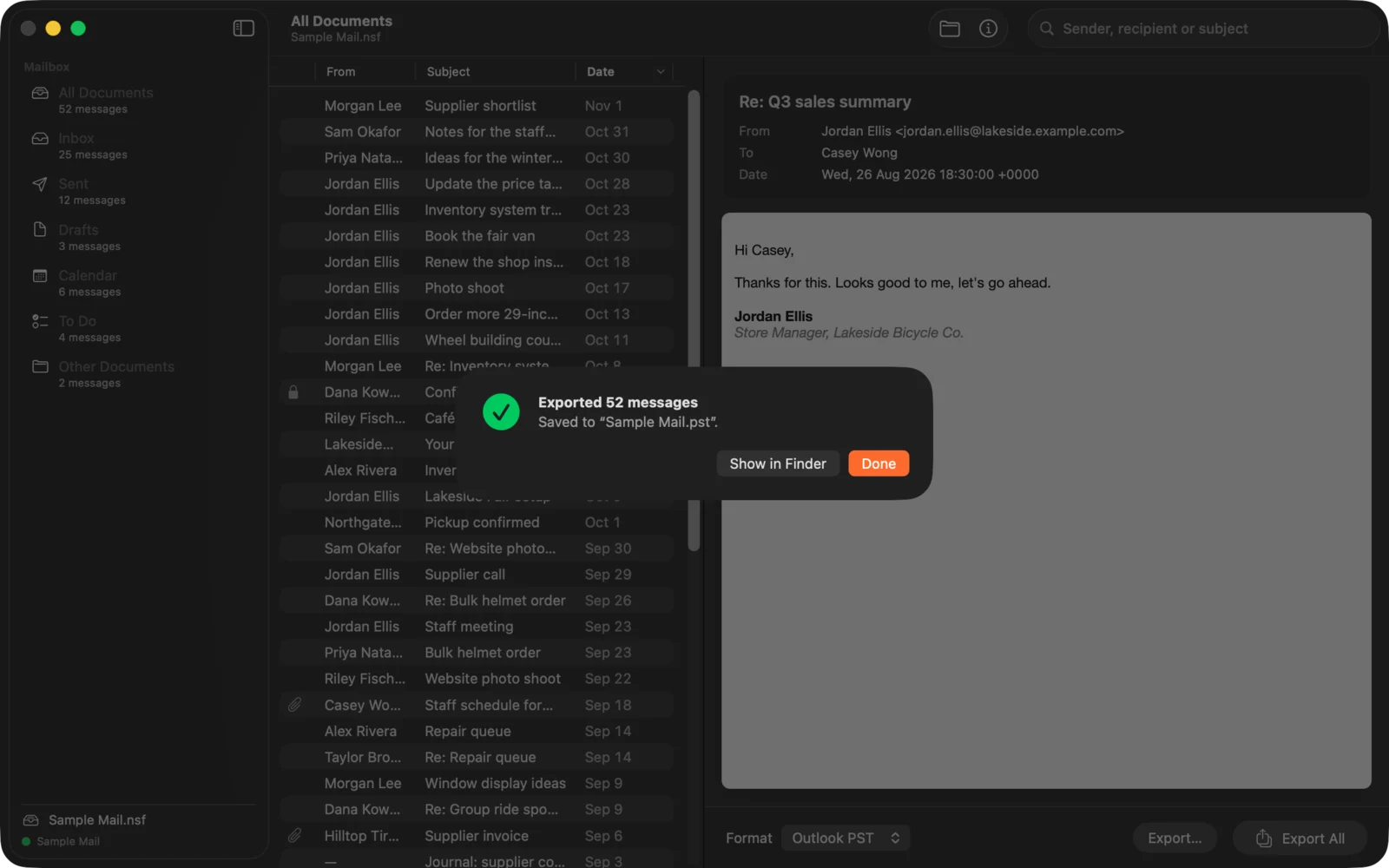
Export to Outlook, Apple Mail and more
Export to an Outlook PST with your folders, to mbox for Apple Mail and Thunderbird, or to one .eml file per message. Export one message, a selection, a folder or the whole mailbox.
Check your file before you buy
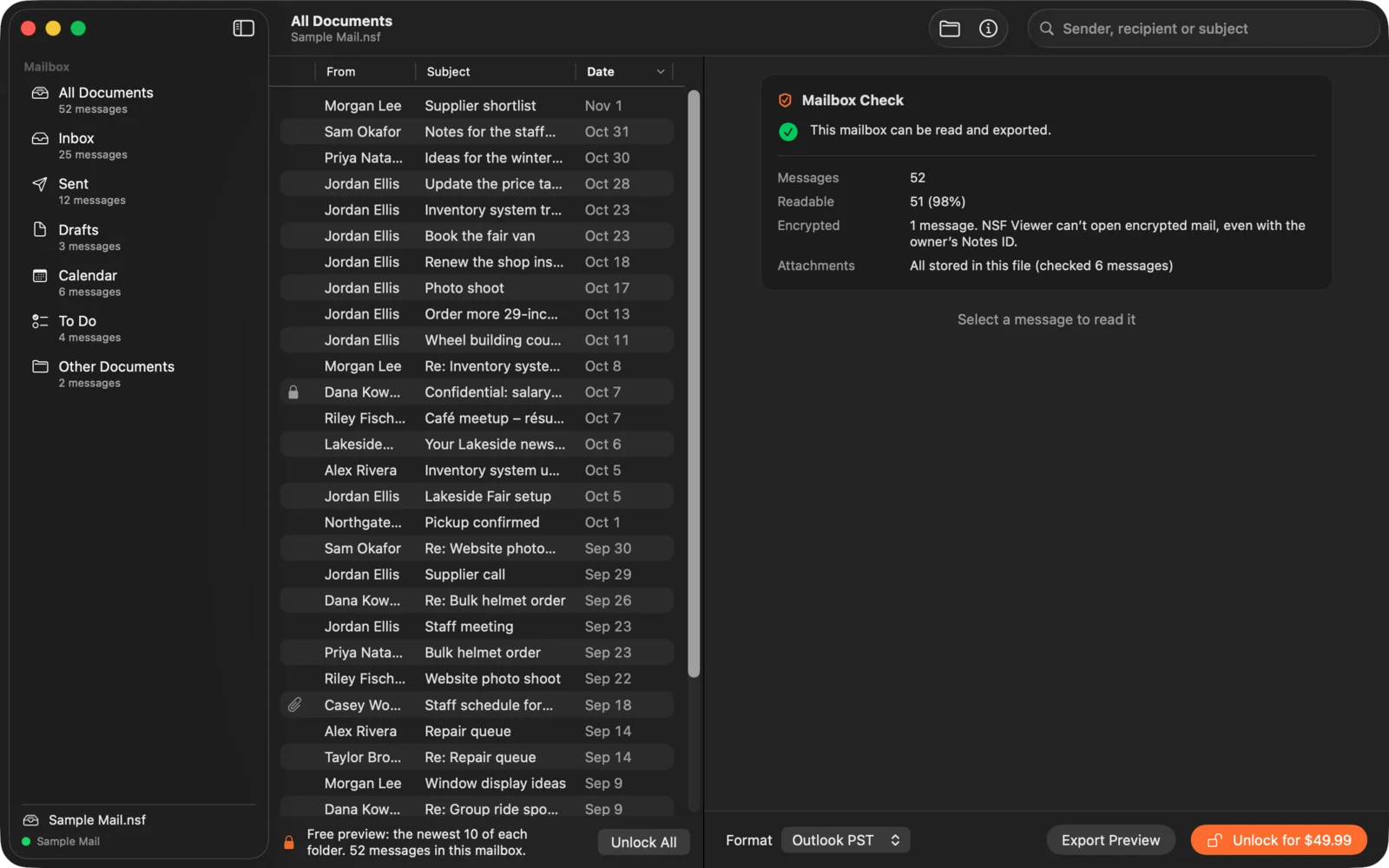
NSF Viewer is free to download. The Mailbox Check shows how many messages your file holds, how many can be read, and whether any are encrypted or keep their attachments on the server. Read the 10 newest messages in every folder, and export them to test in your own mail app. One in-app purchase unlocks the rest.
Every Notes field, when you need it
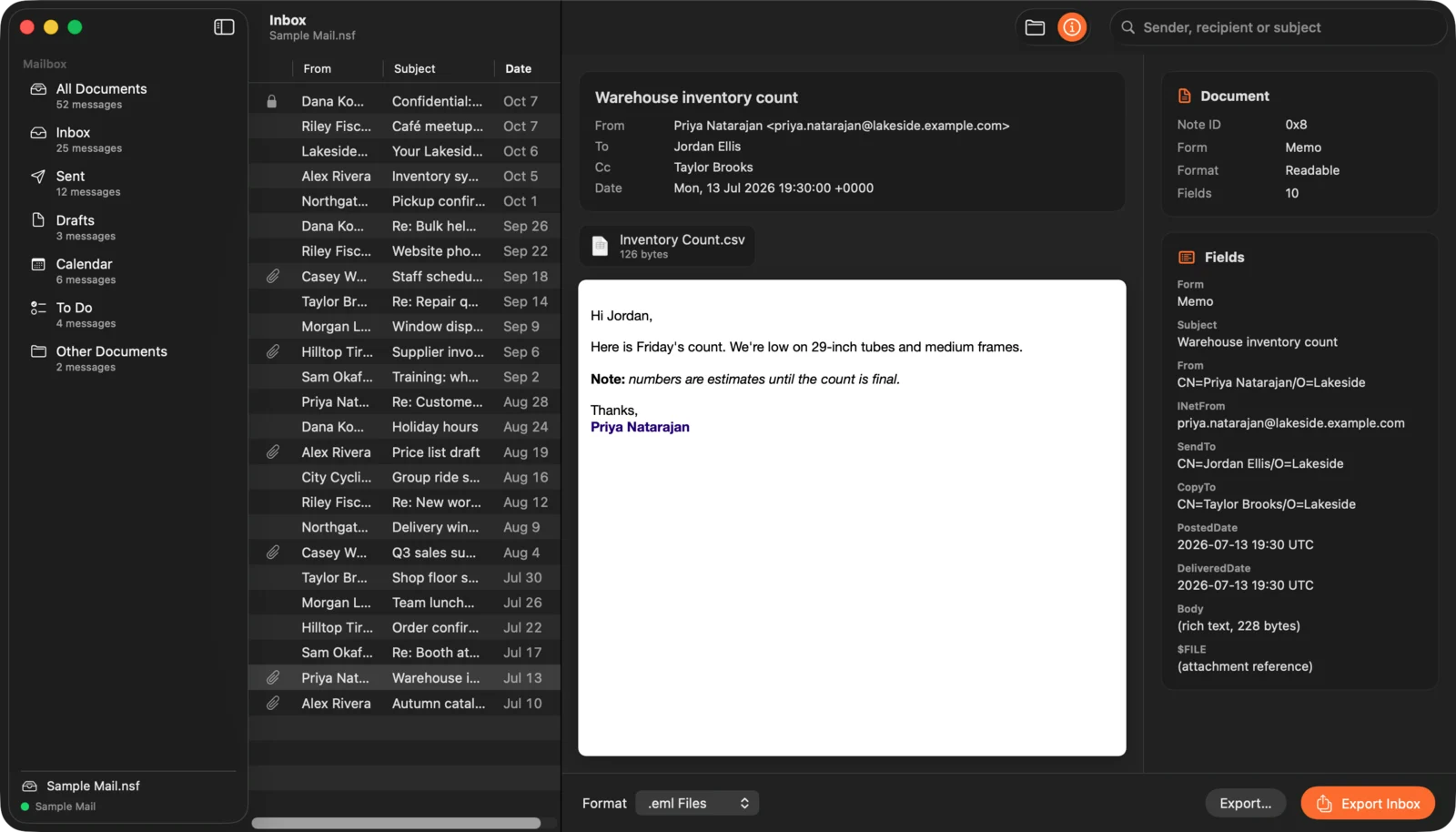
The Info pane lists every field of a message, from routing and dates to form names, for anyone who needs to see exactly what the database holds.
Every mailbox
Old and damaged files
Mail files copied from old drives and backups are often slightly damaged. NSF Viewer repairs what it safely can, marks a field it can’t read, and still shows the rest of the message.
Big mailboxes
Opens mail files of several gigabytes with over 100,000 messages, and tells you how much it found before you buy.
Opens from the Finder
Double-click an .nsf file, drop it on the window or the Dock icon, or choose File › Open.
Good to know
Private by design
NSF Viewer works entirely on your Mac. No account, no analytics, no uploads. It never loads remote images or trackers in messages, and never changes the files you open. See the privacy policy.
Try, then buy once
Free to download, with the Mailbox Check and a preview of every folder. One in-app purchase unlocks every message and full export. No subscription.
Before you buy
- NSF Viewer can’t open encrypted Notes mail, even if you have the owner’s Notes ID. Encrypted messages are listed, and the free Mailbox Check shows how many there are.
- Some Domino servers keep large attachments outside the .nsf (DAOS). Those attachments are listed but aren’t in the file.
- Made for mail databases. Other Notes applications open, but only their documents are shown, not their views or designs.
Questions?
Email us before or after you buy. Include your macOS version, roughly how big the .nsf file is and where it came from, and what happened. Please don’t send the file itself unless we ask.
Lotus Notes, Domino and Outlook are trademarks of their owners. NSF Viewer is an independent app and is not affiliated with or endorsed by HCL, IBM or Microsoft.